Medication reminders
Medication remindersthat actually work.
A phone alarm is easy to dismiss and impossible to check. Carely reminds, confirms each dose you take, and can quietly let someone you trust know if a dose is missed.


Free to use, no account needediOS, Android and the web
How it works
Set it up once. It works every day.
No tech skills needed — adding your medications takes a few minutes.
- 1
Add your medications
Enter each medication, the dose and the times. Carely builds a simple daily schedule.
- 2
Get a clear reminder
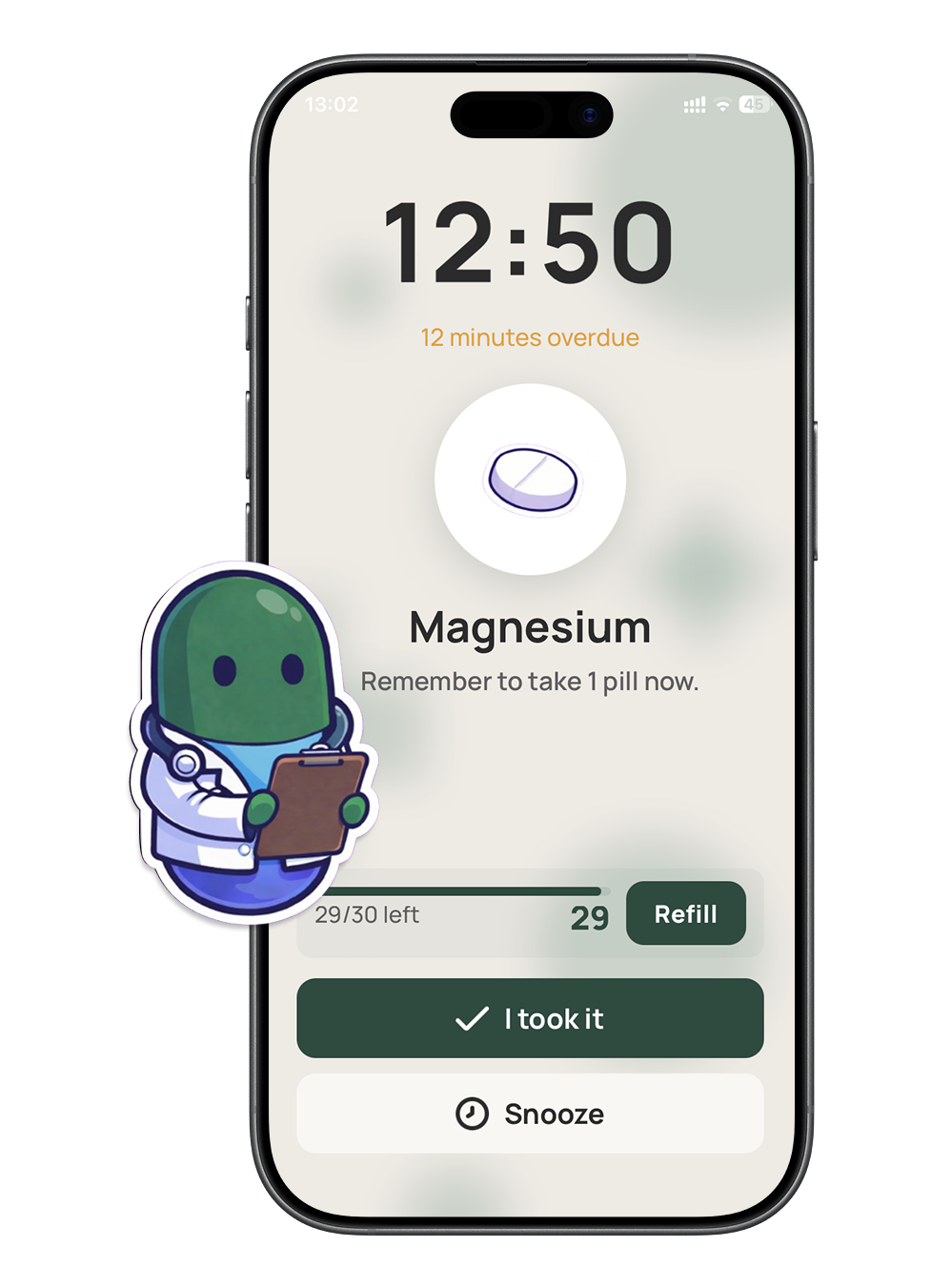
At the right time, Carely reminds you with the medication name and time on a big, readable screen.
- 3
Confirm it — or snooze
Mark "I took it", or snooze for later. If you don't respond, Carely keeps reminding, then marks the dose missed — so it's actually tracked, not just beeped and forgotten.
- 4
Add a family member (optional)
Want backup? Connect a relative with a code and they'll be alerted only if a dose is missed.
Why it's different
More than an alarm
It confirms
Knows if a dose was actually taken
Unlike an alarm you can swipe away, Carely records each dose you confirm — so nothing quietly slips.
Built for everyone
Big text, big buttons, no learning curve
Adjustable font size and a simple, uncluttered screen. Designed for older users first.
Shared if you want
A safety net for family
Optionally connect a caregiver who's notified only when a dose is missed — never for every reminder.
How is this better than a phone alarm?
An alarm is easy to dismiss and gives no record. Carely confirms each dose with one tap, keeps a history, and can alert a family member if one is missed.
Is it free?
Yes — using Carely for your own reminders is free, with no account needed. Optional Carely+ adds caregiver alerts and summaries.
Do I need to create an account?
No. You can use reminders anonymously. An account is only needed on the caregiver side if you choose to connect one.
Does it work on iOS and Android?
Yes, on both — plus a browser version. Reminders arrive as push notifications on your phone.
Never forget a dose again
Download Carely, add your medications, and get reminders that actually keep you on track — free, with no account needed.